Log in to Google Analytics using you Gmail account, by going to the following website address:
https://marketingplatform.google.com/about/analytics/
NOTE: If you can not see the website address profile for the website you wan to give access to, then it usually means you have logged in with the wrong Google/Gmail account
Once you have logged in, follow the steps below:
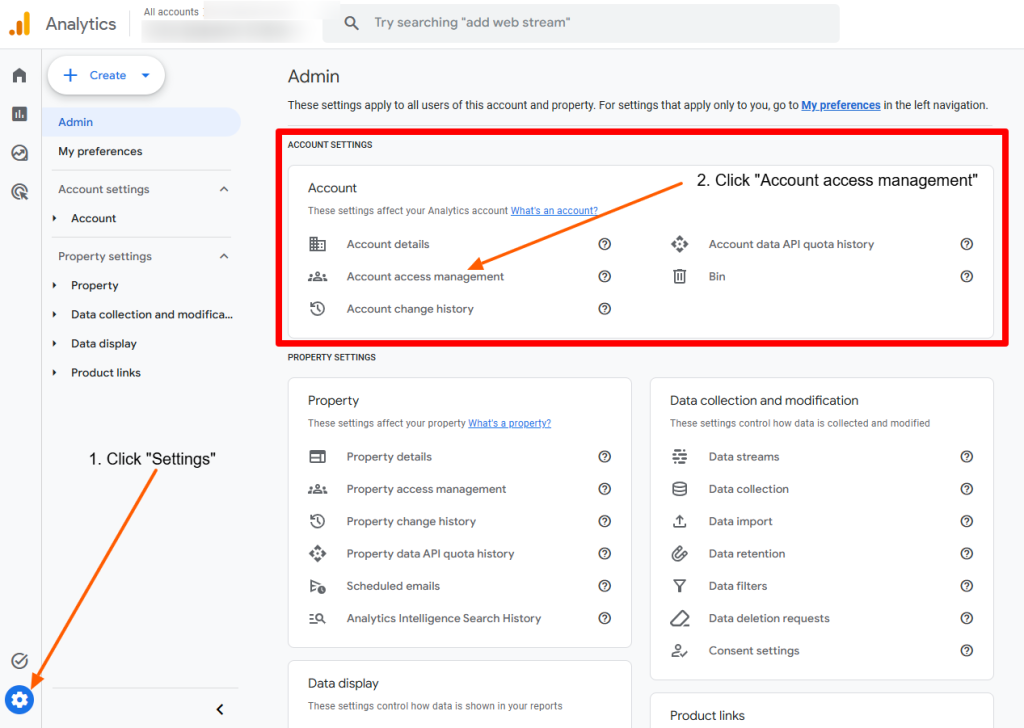
- Click the blue “ADMIN” gear icon in the bottom left corner of the screen
- Go to the Account section and click on “Account access management”
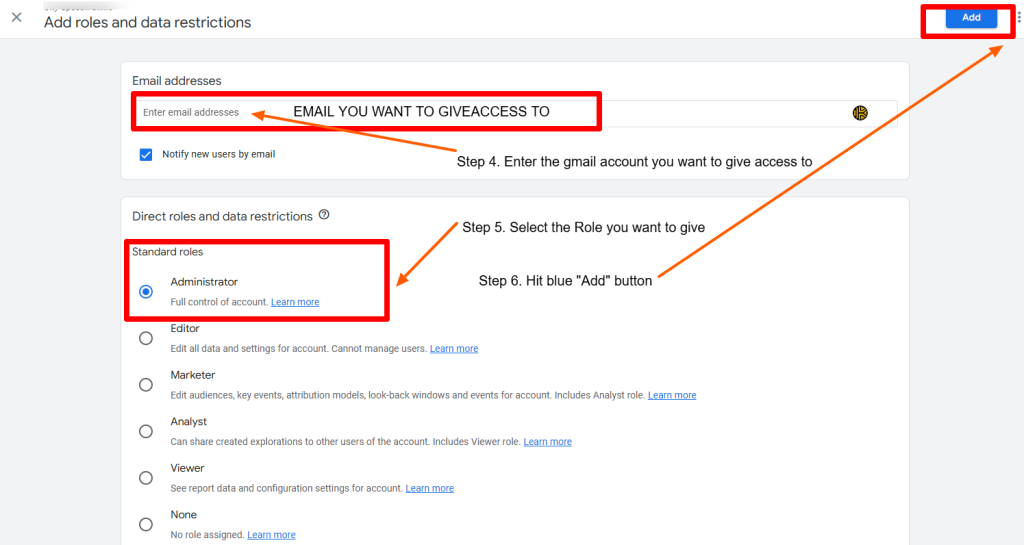
- Click the blue “add” button, select Add user.

- Add in the Gmail address you want to give access to, select the Role you want to give that user, then click ‘Add’